
Your company is medium-large-size, and is in the market for a new phone system, and you’re thinking Teams Phone might be the way to go. But the company has a pretty serious call center, and Teams Phone isn’t going to work for that part of the business.
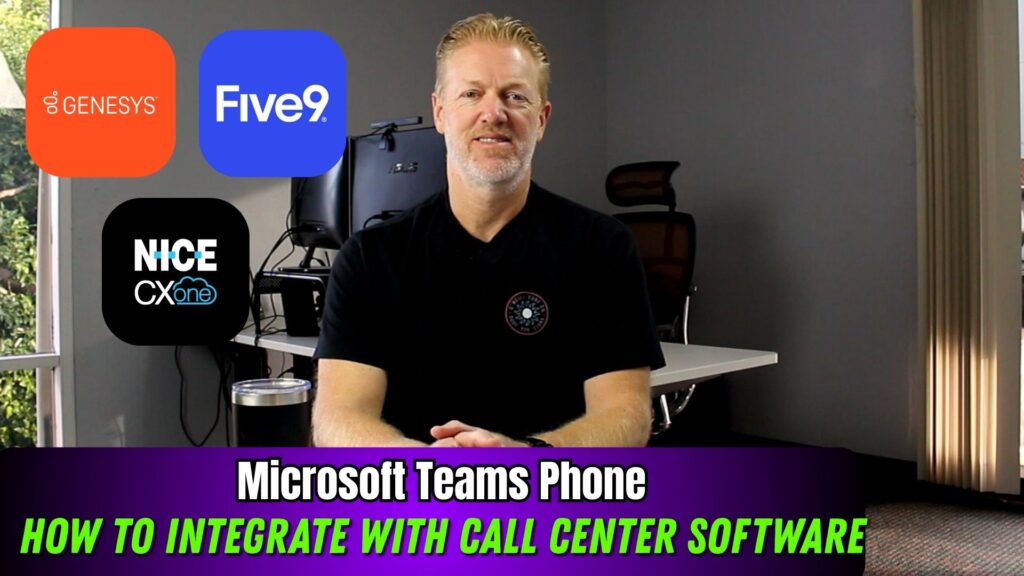
In this video, I will explain how your company can integrate call center software like, Genesys, Five9, Nice CXone, etc…, with Teams Phone System.
Want my recommendations on the best Teams Phone calling plan providers? Ask me today.

About Me

Mike Smith has been helping companies select the best telecom, WAN, security, and cloud services since 1999. He founded AeroCom in 2003, and has been the recipient of numerous business telecommunications industry awards, including being recognized as one of the top 40 business people in tech-heavy Orange County, CA. Follow Mike on YouTube, LinkedIn, Reddit and SpiceWorks.
Key Takeaway
Medium to large organizations often use Microsoft Teams Phone for everyday calling while relying on dedicated contact center platforms like Genesys, Five9, or NICE CXone for customer service operations. The key to making this work smoothly is ensuring proper integration between the two systems. This article explains how Teams Phone and third-party call center software communicate, why presence synchronization matters, and how using the right Operator Connect provider and SIP trunking strategy can reduce costs, simplify call transfers, and eliminate unnecessary billing issues. With the right setup, companies can create a seamless experience for both internal users and call center agents.
Transcript
Many medium to large organizations adopt Microsoft Teams Phone as their primary phone system while selecting a separate call center platform such as NICE CXone, Five9, or Genesys for customer-facing operations. This approach makes sense because Teams Phone does not offer robust native call center functionality. The challenge arises when calls need to move seamlessly between the call center environment and regular Teams Phone users, such as transferring a customer call from an agent to someone in accounting or another department.
My Recommendations
But first, if you’d like to know which call center software vendors integrate the best with teams phone, don’t start googling it. Reach out, send me an email or give me a call (714.593.0011). That’s what I do. I’m a broker for all these major vendors out there. I know which vendors your company should be quoting, and I can help you right away. So join the thousands of other IT professionals who have used me to help their company make a lot better decision in a fraction of the time, and it won’t cost your company anything to ask me questions and use me. So send me an email. Give me a call. I’d love to help. More information on what I do at the end of the video. Also, don’t forget to hit the subscribe button to subscribe to the YouTube channel so you don’t miss any of my weekly videos that I put out. And also go check out our website Aerocominc.com You can search, teams, phone vendors, and also cloud call center vendors by feature. You can filter them down, you can watch videos on them. You can read reviews on them. You can write reviews on them. All kinds of cool stuff. Go check it out.
Common Call Transfer and Presence Challenges
A common concern is whether call center agents can easily transfer calls to Teams Phone users and see their availability. Questions often come up around whether Teams users appear as extensions in the call center software, whether agents can see if someone is already on a call or in a meeting, and whether transferred calls are billed as outbound calls. These scenarios highlight the importance of how Teams Phone and third-party call center platforms communicate behind the scenes.
Solution One: Two-Way Presence Synchronization
The first key requirement is selecting a call center software provider that supports two-way presence synchronization with Microsoft Teams. This means that when a Teams Phone user is on a call or in a meeting, that presence status is visible to call center agents within their contact center application. Likewise, Teams users can see the availability of call center agents. This two-way presence awareness helps agents transfer calls more intelligently and avoids sending calls to unavailable users.
Solution Two: Using an Operator Connect Provider with Direct SIP Connectivity
The second major component is choosing a Teams Phone Operator Connect provider that offers direct SIP trunking connections to major call center platforms. Some providers maintain direct peering or cross-connect agreements with vendors like Genesys, Five9, and NICE CXone. With this setup, calls transferred between Teams Phone and the call center software remain on the same private network rather than traversing the public switched telephone network. This approach prevents unnecessary call charges and ensures higher call quality.
Bring Your Own Carrier for Call Center Dial Tone
Another important consideration is working with a call center software vendor that supports BYOC, or Bring Your Own Carrier. Platforms such as Genesys, Five9, and NICE CXone allow organizations to use a third-party carrier for dial tone instead of the vendor’s native telephony. In this model, your Teams Phone Operator Connect provider supplies SIP trunking and dial tone not only for Teams users but also for the call center application, creating a unified voice environment.
Cost, Billing, and Troubleshooting Benefits
Using a a single Operator Connect provider for both Teams Phone and call center dial tone can reduce overall costs. Operator Connect providers are typically telecommunications specialists and often offer more competitive pricing for long distance and toll-free services than software-centric call center vendors. This setup also simplifies troubleshooting by giving your organization one point of contact for any voice or call quality issues, rather than having to determine which vendor is responsible.
Choosing the Right Setup for Your Organization
This architecture works well for many medium to large organizations, but there are always exceptions based on existing infrastructure, call flows, and geographic locations. If you want guidance on which call center vendors integrate best with Teams Phone or which Operator Connect providers support direct SIP connectivity, don’t try to figure it out alone. Reach out directly by email or phone to discuss your requirements. With experience working across Teams Phone and leading call center platforms, expert guidance can help you evaluate vendors, set up demos, and negotiate pricing. The service comes at no cost to your company, making it easy to get informed before making a decision.
Which Call Center Software and Teams Phone vendors should you quote?
So if you want to know more information on that, don’t try to Google it. Just reach out, send me an email or give me a call (714.593.0011). If you work for a medium to large size organization, definitely reach out and contact me. That’s my sweet spot. That’s where my area of expertise is. Send me an email. Give me a call. I’ve been a broker for all these vendors who do this stuff for phone systems, for teams, phone for call center software. I’ve been doing this for over 20 years, so I know the industry inside and out and based on your company’s requirements, I will tell you which set up you should probably take a look at. Maybe I’ll give you a couple different options and which vendors you should quote for those things. I will help you get a great demo set up. I’ll introduce you to the right salespeople to work with those vendors. I will also oversee the coding process to make sure your company gets the best pricing possible on the vendor of your choice. And the nice thing is, on top of all that, my company doesn’t charge you anything for my services. The service providers actually pay me my broker fee so your company doesn’t have to pay me anything. Using me for advice is absolutely free, so there’s no excuse not to at least reach out and see what I might have to say. I guarantee you I know a couple things that you didn’t think about, so send me an email. Give me a call. I’d love to help you join the thousands of other companies that have used me to help their company make a lot better decision, and a fraction of the time.
Related Content
 Microsoft Teams Phone System Pricing for Large Companies in 2026
You work for a medium to large-size company and the company (hundreds to thousands of employees), is in the […]
Microsoft Teams Phone System Pricing for Large Companies in 2026
You work for a medium to large-size company and the company (hundreds to thousands of employees), is in the […] Is Microsoft Teams Phone Less Expensive than Zoom Phone, RingCentral, 8×8, Cisco webex and Others?
You work for a medium to large-size company (hundreds to thousands of employees) that is in the market for […]
Is Microsoft Teams Phone Less Expensive than Zoom Phone, RingCentral, 8×8, Cisco webex and Others?
You work for a medium to large-size company (hundreds to thousands of employees) that is in the market for […] Microsoft Teams Phone System Overview for Large Companies
You work for a medium to large-size company and the company (hundreds to thousands of employees), is in the […]
Microsoft Teams Phone System Overview for Large Companies
You work for a medium to large-size company and the company (hundreds to thousands of employees), is in the […] SMS and MMS Text Messaging with Microsoft Teams Phone
It's been 7 years in the making, but Teams Phone FINALLY has SMS texting, but what do you need to know […]
SMS and MMS Text Messaging with Microsoft Teams Phone
It's been 7 years in the making, but Teams Phone FINALLY has SMS texting, but what do you need to know […] Microsoft Teams Phone System Pricing for Large Companies in 2025-Updated!
You work for a medium to large-size company (hundreds to thousands of employees), and your […]
Microsoft Teams Phone System Pricing for Large Companies in 2025-Updated!
You work for a medium to large-size company (hundreds to thousands of employees), and your […] Microsoft Teams Phone System Review & Ratings for Mid-Large Companies in 2025
Your company is in the market for a new phone system. You’re considering Teams Phone System, but how does […]
Microsoft Teams Phone System Review & Ratings for Mid-Large Companies in 2025
Your company is in the market for a new phone system. You’re considering Teams Phone System, but how does […]